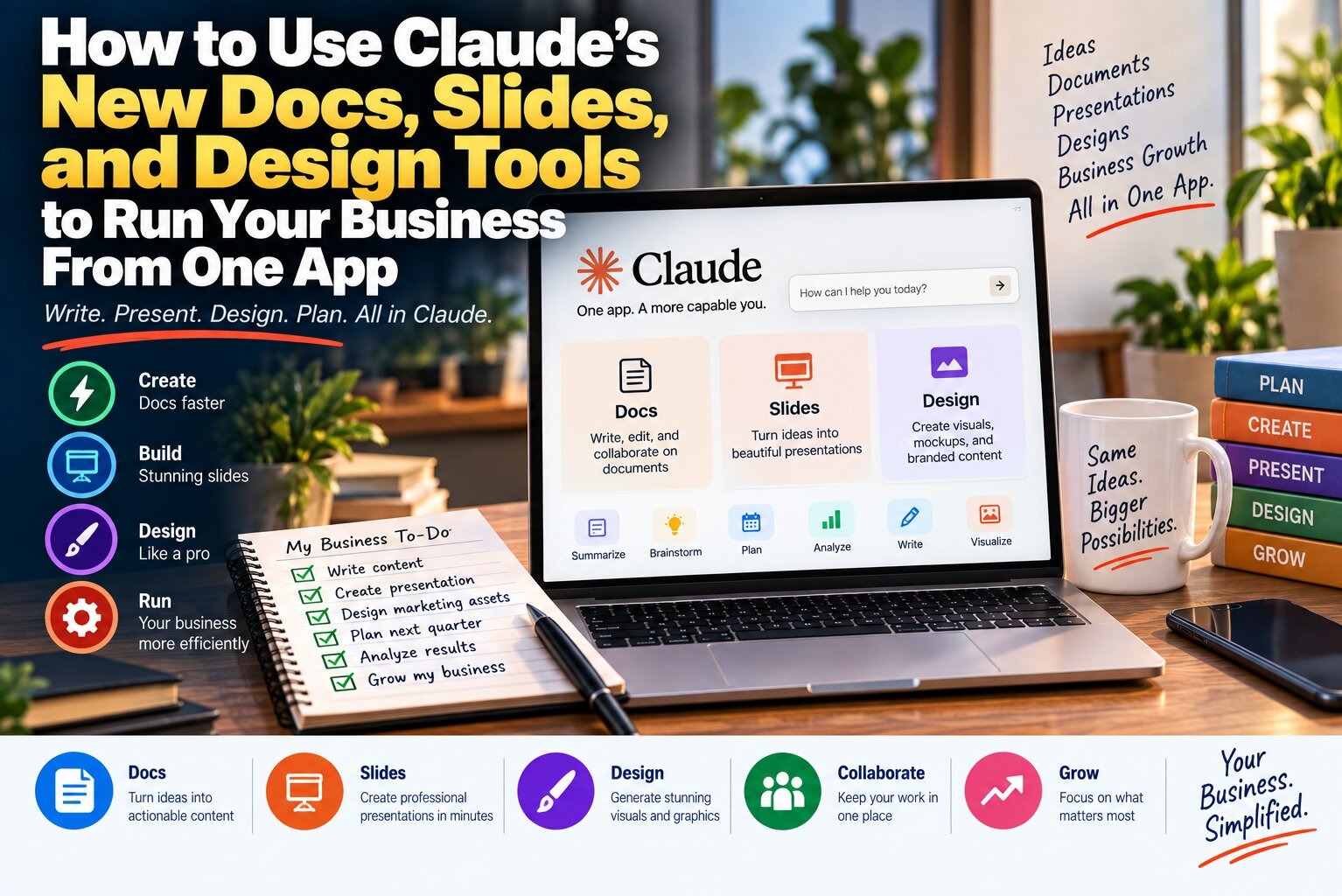
Anthropic folded Claude Cowork into the main Claude chat experience on September 16, 2026, ending the split between "just chatting" and "getting agentic work done" that had existed since Cowork launched. Alongside the merger, the company shipped two brand-new beta tools, Claude Docs and Claude Slides, and moved Claude Design out of its own separate surface and directly into ordinary conversations. The rollout started with Pro and Max subscribers and is expanding over the coming weeks, with Team and Free plans following later and Enterprise admins getting at least 30 days' notice before anything changes on their side.
If you've been paying $20 a month for Claude Pro, or $100 to $200 a month for Max, and mostly using it as a smarter search box, this update is worth understanding properly. You no longer have to pick a mode before you start typing. Describe what you need — a client proposal, a pitch deck, a mockup for a landing page — and Claude decides on its own whether that's a quick answer or a multi-step project that ends in a real, downloadable file. Here's what actually changed, how to turn it on, and how to use it without wasting time on the parts that still need a human's judgment.
What Changed When Claude and Cowork Merged
Before this update, Cowork lived as its own mode you had to deliberately select, separate from the everyday chat window most people were used to. That separation made sense while Cowork was new and experimental, but it also meant most subscribers never touched it, because switching modes is exactly the kind of extra step that quietly kills adoption of a new feature. Anthropic's fix was to remove the choice entirely. In the merged interface, there's one input box, and Claude routes your request to whatever it needs internally — a quick reasoning pass for a simple question, or a longer agentic run that reads files, drafts a document, and checks in with you before taking anything you'd consider a consequential action, like sending an email.
This builds on a change Anthropic made back on July 7, 2026, when it took Cowork off the desktop app and brought it to web and mobile through a new remote-execution model: sessions that run on Anthropic's own servers rather than your device, so a task can keep working, and even fire on a schedule, without your laptop or phone being online. The September merger is the next step in that same direction — folding the agentic capability into the product everyone already opens by default, instead of leaving it as a mode power users had to seek out.
What You Can Actually Build With Docs, Slides, and Design
The three new and newly-integrated tools cover most of the document types a small business, freelancer, or team actually produces day to day. All three show up as artifacts — Anthropic's term for an editable output that opens next to your conversation rather than getting buried in chat text — so you can keep refining a file across multiple messages instead of starting over each time.
| Tool | What It Produces | Export Formats | Best For |
|---|---|---|---|
| Claude Docs | Collaborative written documents | Google Docs, Microsoft Word | Proposals, reports, contracts, internal memos |
| Claude Slides | Editable presentations | PowerPoint, PDF | Client pitches, board updates, sales decks |
| Claude Design | Visual assets and mockups | Image files, shareable design links | Landing pages, social posts, one-pagers, campaign creative |
None of these are entirely new ideas — Google Docs, PowerPoint, and Canva have covered this ground for years — but the difference is that you're not switching applications to get there. You describe the deliverable in the same window where you'd normally ask a question, Claude builds a working draft, and you edit it in place or ask for changes in plain language. For a solo founder juggling five roles at once, that removes a real amount of app-switching friction, even if the underlying documents look similar to what you'd get elsewhere.
How to Access the New Unified Claude Experience
The rollout is staged, so not every Pro or Max account has it yet as of this week, and Anthropic hasn't published a country-by-country schedule — unlike some of its recent feature launches, this one is not gated by geography, only by plan and rollout timing. Here's how to check your account and start using it.
- Open Claude on web (claude.ai), the desktop app, or the mobile app on iOS or Android, and check whether your message box shows a single input with no separate "Cowork" mode selector — that's the signal you've received the update.
- If you're still on the old split interface, there's nothing to configure; Anthropic is pushing the change out gradually, so check back over the coming weeks rather than searching for a setting to flip.
- Once updated, start a task by describing the outcome directly: "put together a one-page pricing comparison for my landing page" or "draft a two-page proposal for the Morrison account," rather than first picking a document type from a menu.
- Watch for Claude's own signal that it's shifting into a longer agentic run — it will typically lay out a short plan and, for anything consequential like sending a message on your behalf, pause and ask for your approval before proceeding.
- To connect real business data — a Google Drive folder, a Slack channel, a QuickBooks account — go into the connectors settings; the merger didn't change how connectors are added, only how you trigger the work that uses them.
Practical Tips for Getting Better Results
The quality of what you get back still depends heavily on how you ask, agentic routing or not. A few habits make a measurable difference once you're using Docs, Slides, and Design regularly.
- Name the deliverable and the audience in your first message — "a slide deck for investors" produces a different draft than "a slide deck for my internal team," even with identical content underneath.
- Give Claude a real source to work from when you have one. Pasting in your actual pricing, past proposal language, or brand guidelines produces a far tighter first draft than asking it to invent structure from nothing.
- Treat the first version as a working draft, not a final one. Ask for specific revisions ("shorten slide 3," "make the tone more formal") instead of regenerating the whole document, since targeted edits keep the parts you already liked intact.
- For Claude Slides and Design specifically, export early and check how the file actually renders in PowerPoint or your image viewer — automated layout tools occasionally handle text overflow or spacing differently once a file leaves the artifact view.
- If a task involves sending something on your behalf — an email, a Slack post, a client message — read the approval prompt carefully before confirming. That checkpoint exists because the agent is genuinely capable of taking the action, not just drafting it.
Common Mistakes to Avoid
A few habits tend to waste time or produce worse output, and they're easy to fall into during the first week of using a merged, mode-free interface.
- Assuming every request needs the full agentic treatment. If you just need a quick fact or a short paragraph, ask for it directly — Claude generally scales its own response to match the request, but overly elaborate prompts for simple asks can slow things down for no benefit.
- Skipping the review step on longer documents. A 12-slide deck or multi-page proposal is faster to produce now, but that speed doesn't replace proofreading it before it goes to a client.
- Forgetting that Team and Free plans don't have this yet. If you manage a small team on a Team plan, don't plan a workflow around Docs and Slides until Anthropic confirms it's live for your plan tier specifically.
- Treating exported files as final. A PowerPoint or Word export is a strong starting point, but formatting quirks are common enough on a brand-new beta feature that a quick manual pass before sending is worth the extra two minutes.
If You're Outside the US, on a Free Plan, or on a Team Plan
This update isn't restricted to the United States the way some recent AI launches have been — Anthropic's rollout language describes it as reaching Pro and Max subscribers broadly, without carving out specific countries the way Google did with Gemini's Daily Brief feature earlier this year. If you're in the UK, Canada, Australia, New Zealand, or Western Europe on a paid Pro or Max plan, you should expect the same staged rollout timeline as US subscribers, just without a guaranteed exact date.
If you're on Claude's free tier, none of this is available to you yet, and Anthropic hasn't said when — or whether — Docs, Slides, and Design will reach free accounts in their current form. If you run a small team on a Team plan, the same applies: Anthropic has said Team and Free follow "later," with no committed date at publication. Enterprise customers are in a different position entirely — administrators get at least 30 days' advance notice before the change reaches their organization, which gives IT and compliance teams time to review it before employees see anything different. If your business runs on Enterprise, ask your admin whether that notice has gone out yet before you plan workflows around features you don't have access to.